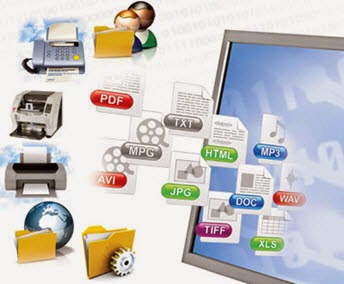
Learn how iSeries document scanning, capture, distribution and workflow can save money, increase document security, and improve organization efficiency. Learn more at www.informdecisions.com
Popular keywords: as/400 forms - as400 forms - iseries forms - iseries reports - AS/400 reports - AS400 reports
Showing posts with label document capture. Show all posts

When the document automation has become a trend, try 3 following technologies to immediately improve your business processes. 


Document Capture - The Filing Clerk

A document capture product like a  filing assistant. It enables you to take  a scanned document and identify how it needs to be named, where it needs to go and what folder it needs to go to. With document capture , you can immediately reduce 25-75% time to file paper documents. Try iCapture - a document capture solution, by inFORM Decisions to benefit from this technology. 

Document Management – “The Electronic Filing Cabinet”

Document management provides steps to help you access files from your desk, distribute them in an instant, easily email or fax them from within your digital filing interface. It looks like a “electronic filing cabinet”. With document management, you can immediately have  huge time savings, improvement in customer service and many other benefits. Try inFORM Decisions's award winning document management solutions to benefit from this technology. 

Document Workflow – “The Electronic Inbox & Outbox”

With  electronic workflow, sending documents to individuals to review or approve or route all expenses over $1000 to a manager is a snap.  You also can build business rules into the system.  Document workflow looks like “the electronic inbox & outbox” that can provide immediate efficiency and productivity improvements.

Tags: as400 print to pdfwhat is ap automationas400 excel 
When searching for the appropriate document capture solution, how do you know which is one is best?
If you run a Google search for the term "document capture," more than 11 million results pop up. That's a lot of solutions to sift through.
Here are five tips to help you narrow your search.
1: Research the company’s history.
How long has the company been around? What sore of rating do they have, specifically in terms of document capture solutions?
2: Ensure that the solution enables you to meet specific needs.
Do you need an application for a small 15-person office or are you operationg on an enterprise-scale that would need to run at multiple locations? Ensure the solution can be adjusted to your organization's size and scope.
3: Check the product’s integrability.
The best solution should be easily integrated with existing systems. inFORM Decisions' iCapture, for instance, can  integrate with more than 60 document management systems.
4: Is the solution secure and compliant?
Nowadays, securing your business data is of the utmost importantance. A document capture solution, therefore, should comply with security rules.
5: Make sure that the solution improves workflow.
Choosing the right solution should save your company time and money.


To learn more about how document capture solutions can improve productivity, visit http://www.informdecisions.com or contact inFORM Decisions at 800.858.5544.

--
Popular keywords: ocr solutions , as400 to excel
Looking for document scanning and capture solutions for Sage ERP? Look no further.

Just watch inFORM Decisions' webinar on an affordable document capture solution for Sage end users. 

The webinar talks about paper problems and the benefits of adding a capture process. More importantly, it demonstrates how the solution works. 


Watch webinar recording

Contact inFORM Decisions for more information, at 800-858-5544.

-
It is common that you hear someone say that he or she scanned something. Now, let’s walk through scanning software vs document scanning software and document capture software’s benefits.

Scanning software vs document capture software

Scanning software is software installed on a device. Because it allows you to create an image, it should be used for very basic needs. While document capture software is designed to scan and archive documents and extract information but the time for these processes is minimized. It can be seen that scanning is taken to a whole new level thanks to its. So now, let’s see document capture software’s pros. 

Document capture software’s pros

Document capture software allows to automatically identify, extract information. It enables to name and achieve. As a result, you or your organization can have time and labor savings. Image without document capture software, a traditional office staff has to walk a copier or a scanner, scan a document and manually name and save it to a folder. But with document capture software, you only press the button and it has the ability to do the rest.

What is more, document capture software provides the ability to create a repeatable process, eliminating to scan, name and put the same document differently. 

Last but not least, document capture software offers the level of integration. It means that with only a tap, sending and routing any document to any backend system. For example, a document capture solution named iCapture can be used an add-on to any Sage products. You can get more information about iCapture in this link: http://www.informdecisions.com/icapture/


Before discovering 3 benefits of document capture software on IBM iSeries, I have a question: “Do you know the term “capture”?”

I am sure that you may know the term “scan” and think that two terms are same. However, they are two differently defined. Scanning software installed on a device allows users to create images while document capture software allows scanning to be automated and more efficient. If your needs are basic, scanning software is a good choice. But if you want to do more, you should consider document capture software. As you can see I have just given the difference between scanning software and document capture software.


Now if you are using iSeries, document capture software is better than scanning software. And now you will have a question for this. 

Let’s discover benefits of document capture software. 

The first benefit of document capture software is that it is efficient. It can automatically identify, extract, name, archive and eliminate keystrokes. Normally, officers manually do such task. However with document capture software like iCapture of inFORM Decisions, you only press the scan button and do other things while waiting document capture software does its mission. 

Another benefit of document capture software is that it offers a standardized process. With document capture software, all tasks are repeated the same every time. As the result, you are not afraid that scanning, naming, extracting, and archiving your documents are different when you give the same documents to different officers. 

The third benefit of document capture software is that document capture software has an ability to integrate other software. 

They are 3 major benefits of iSeries document capture software. As you can see, automation is good for your business whether your company is small or large. 


Design by Ly Dinh Themes - Cân điện tử | Blogger Theme by iSeries IBM i